DataStated vs Google Analytics
Google Analytics counts visits. DataStated shows the sales you really made and where they came from, so you know which ads pay for themselves.
14 days free, no card. Google Analytics can stay installed.
Same store, same week
Google Analytics
| Channel | Sessions |
|---|---|
| Organic Search | 452 |
| Direct | 410 |
| Paid Social | 338 |
| Paid Search | 186 |
| 132 | |
| Referral | 124 |
Revenue: not set up
DataStated
| Source | Orders | Revenue |
|---|---|---|
| Meta Ads | 17 | $1,536 |
| Google search | 14 | $1,021 |
| Google Ads | 11 | $1,030 |
| Direct | 9 | $806 |
| 8 | $618 | |
| ChatGPT | 6 | $612 |
Revenue: $5,623 from 65 real payments
Side by side
Sales
- Where sales come from
- Real payments from Stripe or Shopify
- Estimates, once you set up ecommerce tracking
- Credit for a sale
- See which channels touched, started and closed it
- Split by a model you can't inspect
- Buyer journeys
- Click any buyer to see their path from first visit to purchase, without knowing who they are
- Totals only, unless you add more setup
Ads
- Ad claims
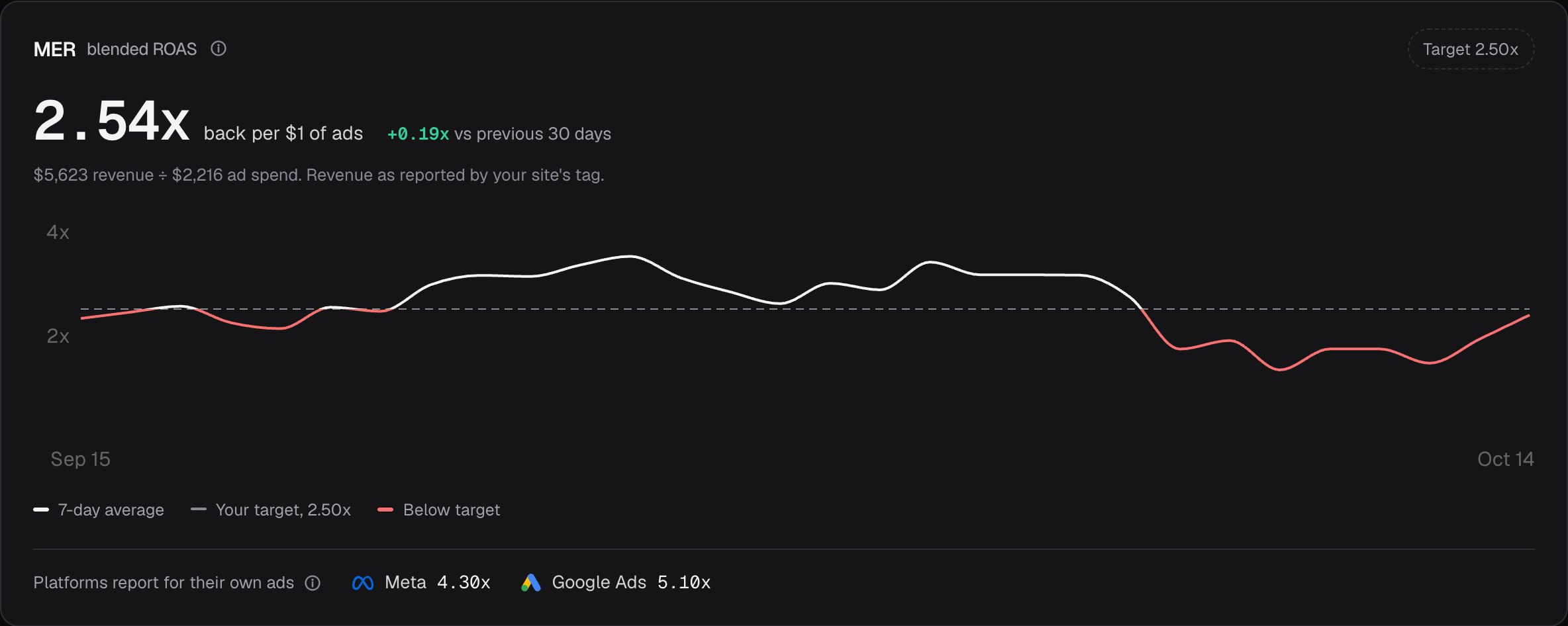
- Meta's numbers checked against your real sales
- Google's own report on Google's own ads
- AI assistant traffic
- ChatGPT and eleven other assistants shown by name
- Mostly lumped into referral or direct
Setup
- Getting started
- Add one line, or install the Shopify app
- Events, ecommerce setup and custom reports first
- Your history
- Import a Google Analytics report so charts don't start at zero
- Starts from the day you install it
- Your AI assistant
- Connect Claude or Cursor on every plan, plus an API for developers
- An API; AI connections through other tools
Where did this week's sales come from?
You took 65 orders worth $5,623.
Meta ads brought 17 orders ($1,536), Google search 14 ($1,021) and Google Ads 11 ($1,030).
ChatGPT sent 6 orders worth $612, which Google Analytics would file under referral.
Privacy and data
- Visitor privacy
- No raw IP addresses, built-in consent controls, respects browser privacy settings
- Consent setup is up to you
- Ad blockers
- An optional setup counts many visits ad blockers would hide
- Blocked by most ad blockers
- History kept
- Three years, or five from the 500k plan up
- Up to 14 months for detailed data on the free version
- Your data
- Pull it any time through the API, or ask us for a full copy
- BigQuery export; sharing with Google depends on your settings
Price
- Cost
- $9 to $299 a month by traffic, every feature on every plan, unlimited teammates
- Free; GA4 360 for enterprises
- Built for
- Store owners and small teams who pay for ads
- Marketing teams and analysts
Where Google Analytics wins
It's free for almost every site, its Google Ads reporting runs deep, and teams with an analyst get funnels, audiences and raw data exports. Every tutorial, plugin and consultant already knows it.
Choose DataStated
If you want to know which channels and ads bring in real sales, without hiring an analyst.
Choose Google Analytics
If you need deep audience reports at scale and someone to set them up and read them.
Run both
They work side by side. Keep Google Analytics for depth and use DataStated for the numbers backed by real payments.
Switching takes an afternoon
- Add one line, or install the Shopify app. The setup guide walks you through it.
- Connect Stripe or Shopify so every sales number is real money.
- Run both for a month and see which one your bank account agrees with.
Questions about switching
Do I lose my history if I switch?
No. Import a Google Analytics report and your past visitor counts fill in. Past sales come from Stripe or Shopify, which bring in their own recent history.
Can I keep Google Analytics running?
Yes. The two never interact, so you can compare them over the same dates.
How do you know my real sales?
Stripe and Shopify send us your actual payments. Orders your own site reports are counted too, but kept apart from confirmed payments. Money totals are in US dollars for now.
Do I still need a cookie banner?
It depends on where your visitors are. DataStated has consent controls built in and respects browser privacy settings, but your site still needs the right notice. The consent guide shows how.
Does it work if I don't sell anything yet?
Yes. Traffic, sources and goals work without any sales. The ad check starts once you're selling.
Try it next to Google Analytics for 14 days.
No card needed. Keep both running and compare.