DataStated vs DataFast
Both track visitors to revenue and answer from Claude. DataFast covers many payment providers. DataStated is built for Shopify: an App Store install, billing on your Shopify bill, and Meta's claimed sales checked against your paid orders.
Both have a 14-day free trial.
Connecting a Shopify store
| Step | DataFast | DataStated |
|---|---|---|
| Step 1 | Create an app in the Shopify Dev Dashboard | Install from the Shopify App Store |
| Step 2 | Turn on four scopes, including read_customers, and release the app | Approve. The pixel goes on for you |
| Step 3 | Copy the Client ID and secret into DataFast | Nothing to copy |
| Billing | Paid to DataFast | On your Shopify bill |
Side by side
Shopify
- What it reads
- Order ids, amounts, payment state and attribution fields. No customer names or contact details
- Orders, products and customers, plus permission to add its script
- Past orders
- Import the last 30 days, or up to 60, with one API request
- Not covered in its Shopify guide
Meta ads
- What you see
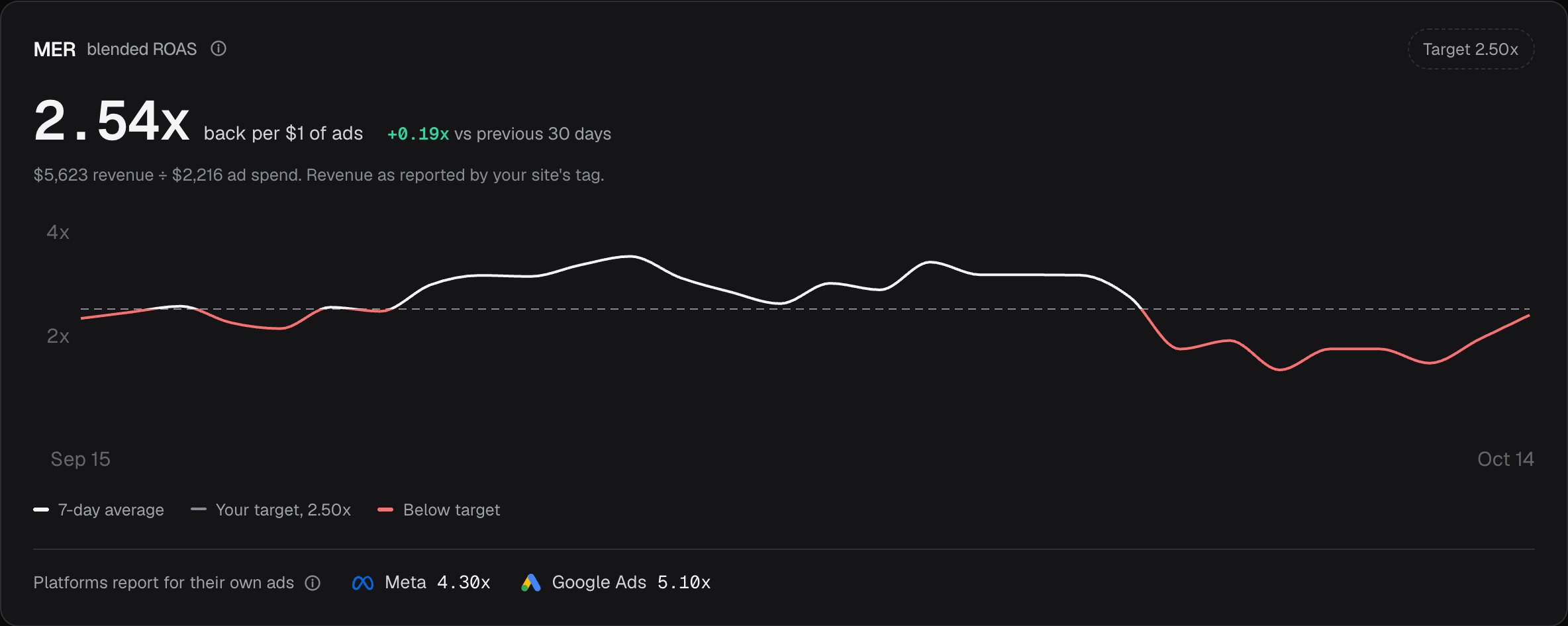
- Meta's claimed purchases next to the paid orders from Meta visitors, week by week
- Spend, clicks and ROAS per campaign, with revenue matched to campaigns by its own attribution
Where sales come from
- Payment sources
- Shopify, and Stripe for other sites
- Stripe, LemonSqueezy, Polar, Paddle, Dodo, WooCommerce, Shopify and a Payments API
AI and tools
- Weekly summary
- A Monday morning email once you switch it on, with Meta's claims against your orders
- Alerts, and a mobile app
Plans
- Sites and team
- Up to 5 sites, or 30 on larger plans. Unlimited team members on every plan
- Starter: 1 site, 1 member. Growth: 30 sites, 30 members
- Data kept
- 3 years, or 5 on larger plans
- 3 years on Starter, 5 or more on Growth
Where DataFast wins
It connects to more payment providers, so it suits SaaS and stores off Shopify. It has a cookieless script, a CLI, a mobile app, X mentions and link attribution, and ROAS per Meta campaign.
Pick DataFast
If you sell through Stripe, Paddle, LemonSqueezy or Polar, or need cookie-free tracking.
Pick DataStated
If you sell on Shopify, want it billed there, and want to know which of Meta's sales really happened.
Switching
Install DataStated and import the last 30 days of orders. Keep DataFast running until you've compared a week.
Adding it takes two minutes
- Install from the Shopify App Store and approve. The pixel goes on for you, with no theme editing.
- Connect Meta Ads in settings so its claims can be checked.
- Wait a week and compare Meta's count with your paid orders.
Questions
Can I run both at once?
Yes. Each uses its own script, so you can compare them on the same week before choosing.
Does DataStated read my customers' names or emails?
No. It reads order and transaction ids, payment state, amounts, currency, timestamps and attribution fields. What is read
Why would the two show different revenue by channel?
They give credit differently. DataStated follows each buyer's recorded visits to the order at checkout. DataFast matches payments to visitors with its own attribution.
I don't sell on Shopify. Is DataStated for me?
It works on any site with one line and reads Stripe sales, but it's built around Shopify. If you sell through Paddle, LemonSqueezy or Polar, DataFast covers those.
How am I billed?
Through your Shopify bill. The first 14 days are free, and billing starts on the day you pick a plan.
Try it on your store.
14 days free, on your Shopify bill.